7pace Timetracker for Azure DevOps
The leader for Azure DevOps time tracking
7pace Timetracker delivers integrated, seamless time tracking, management, and reporting for teams using Azure DevOps.
Trusted by 3000+ customers
Key features 01
Easy time tracking for better data and insights
7pace Timetracker for Azure DevOps offers a comprehensive solution for time tracking and project management, helping thousands of teams stay organized, productive, and accountable. With tight-knit integration, customizable reporting, and real-time insights, teams streamline workflows and achieve better business results.
Own your time tracking
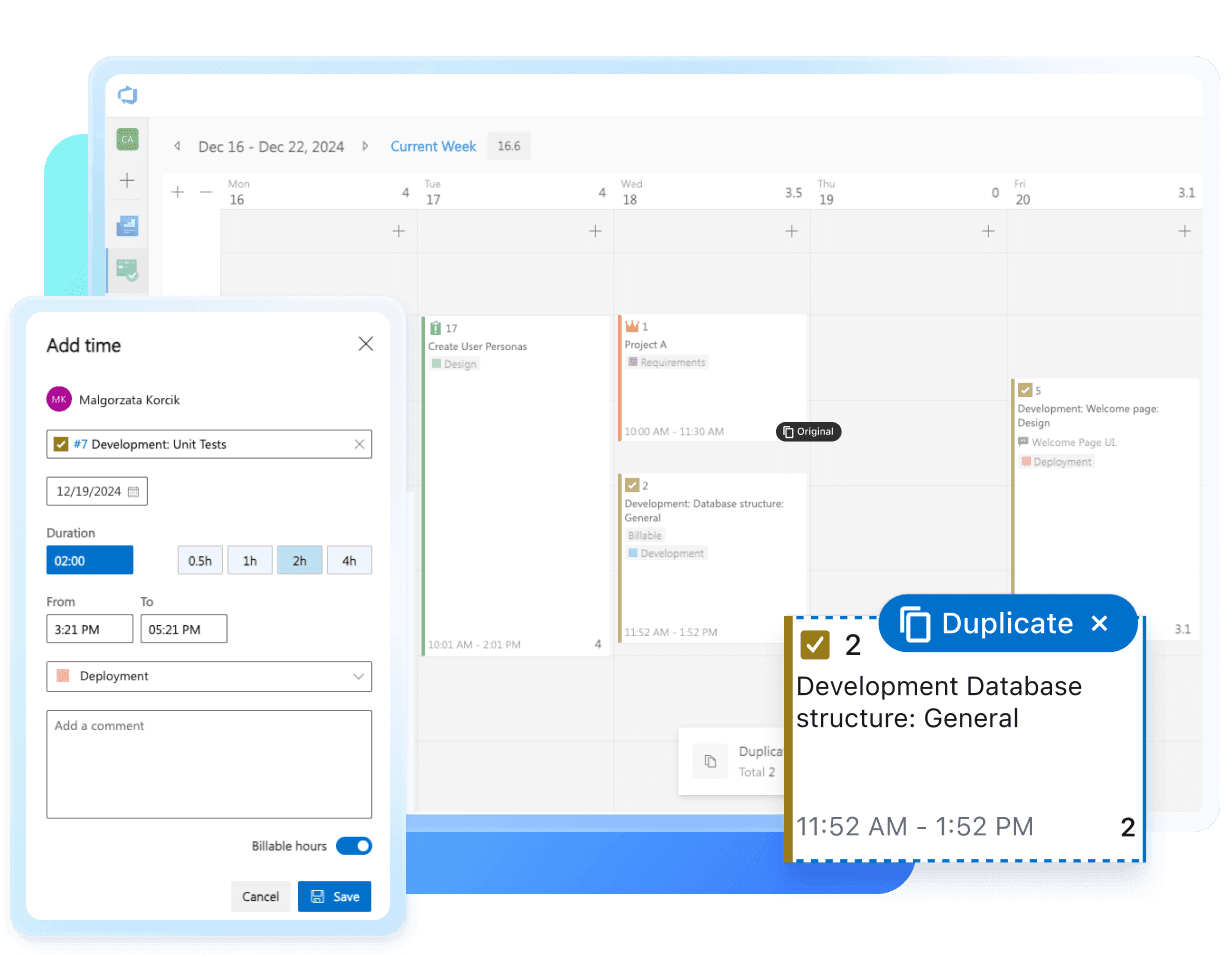
Track time directly on work items, on a timesheet, or on a calendar view — whichever suits your workflow. Get individual and project-level insights to understand how efforts are progressing.

Manage projects, not minutes
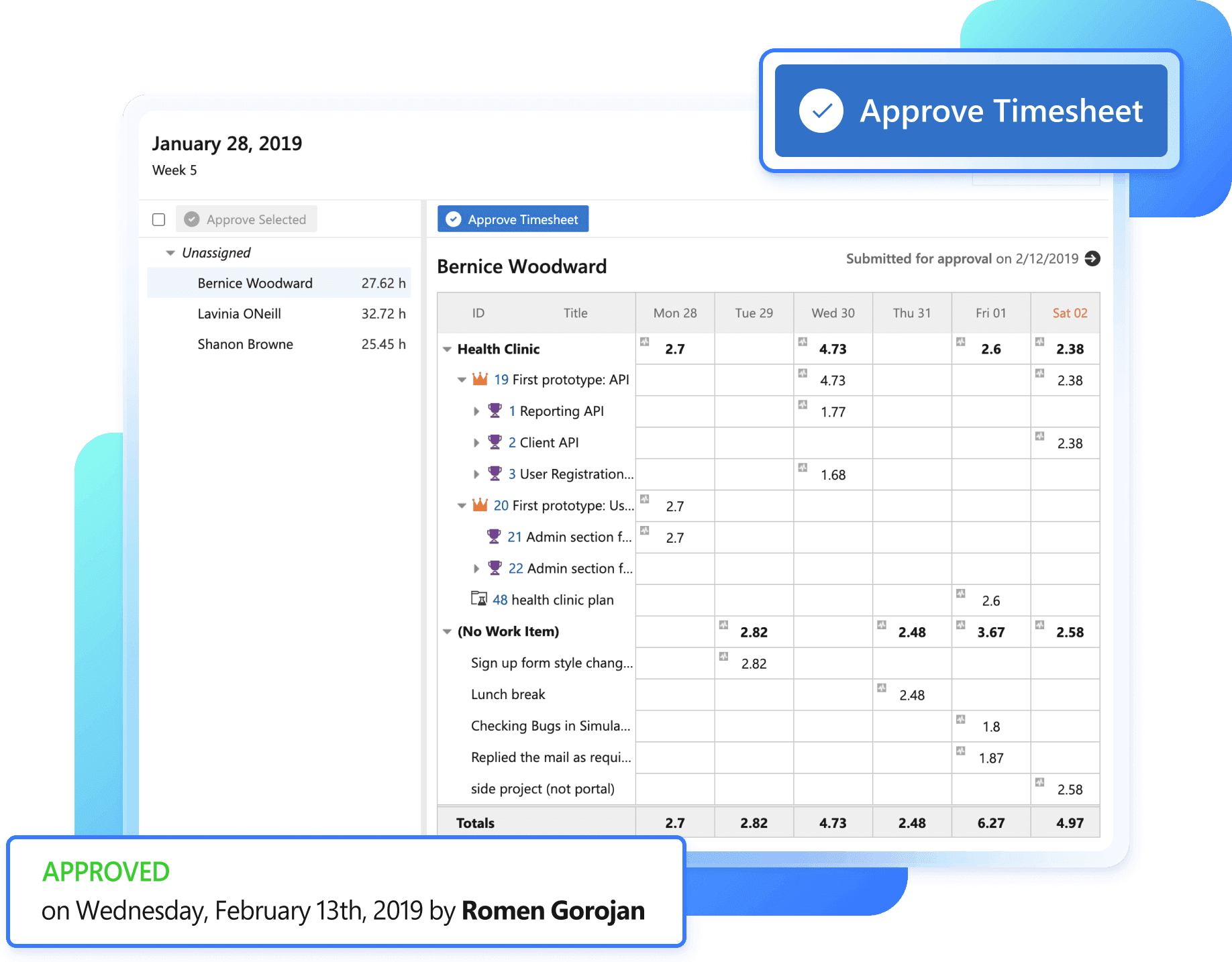
No more chasing worklogs. Get full visibility into your team’s work and approve timesheets easily. Keep your team in sync and projects on time. Simplify budgets, billing, and invoicing.

Truth and insight through better data
Plan, execute, and measure every part of your software development process. Integrate time data with enterprise systems to get all the data you need. Save time on generating project updates, reports, or invoices.

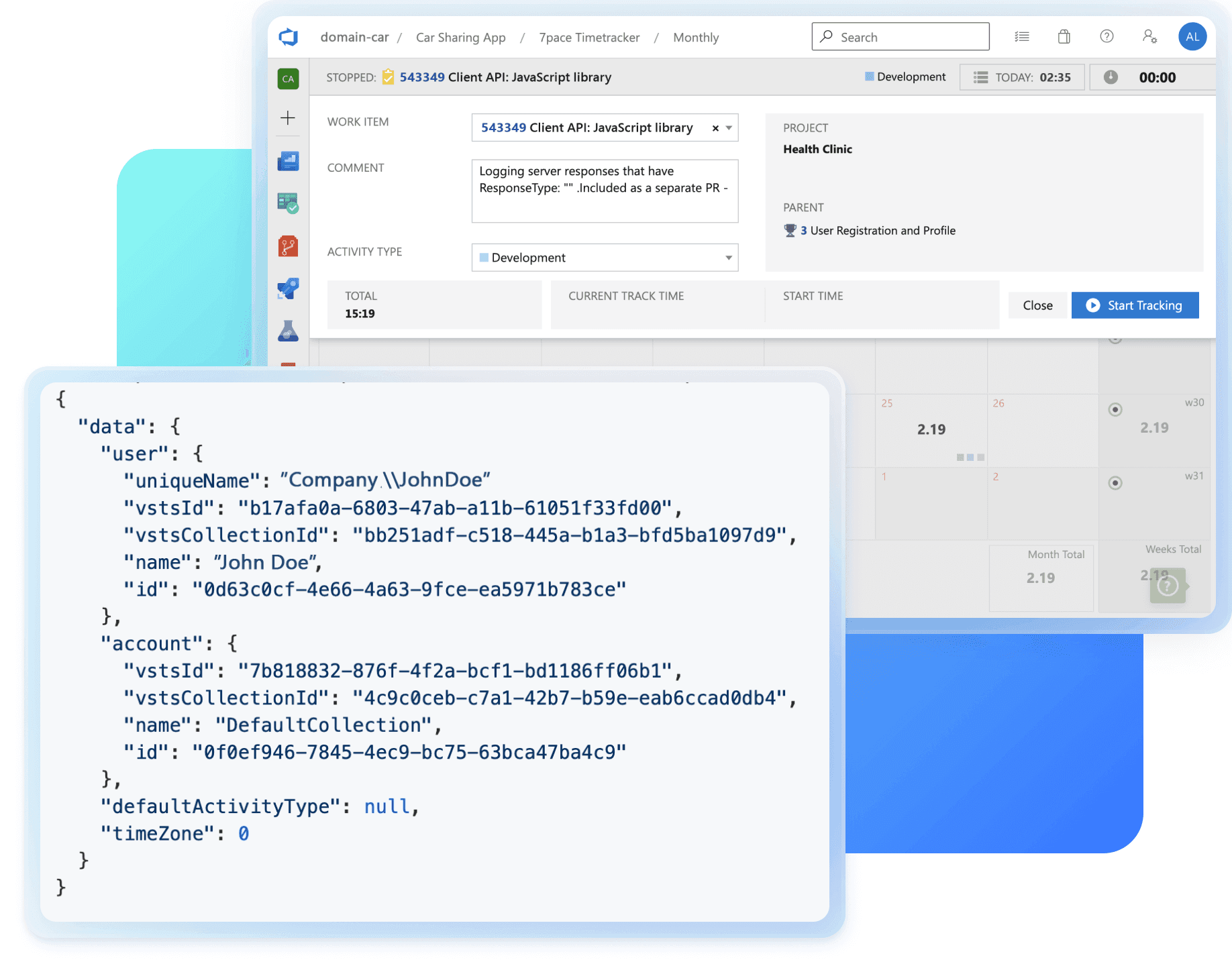
Seamless integration via APIs
Connect time data to your environment using our APIs. Trigger and manage tracking for work items or create a custom client. Build your applications, processes, or systems using the 7pace CRUD programming interface. Use the Reporting API for dynamic access to comprehensive Timetracker data, including mathematical functions for efficient querying.

More features
Real-time tracking in work items
Use a one-click timer in your work item to quickly start and stop tracking time. Can’t have it easier than that.
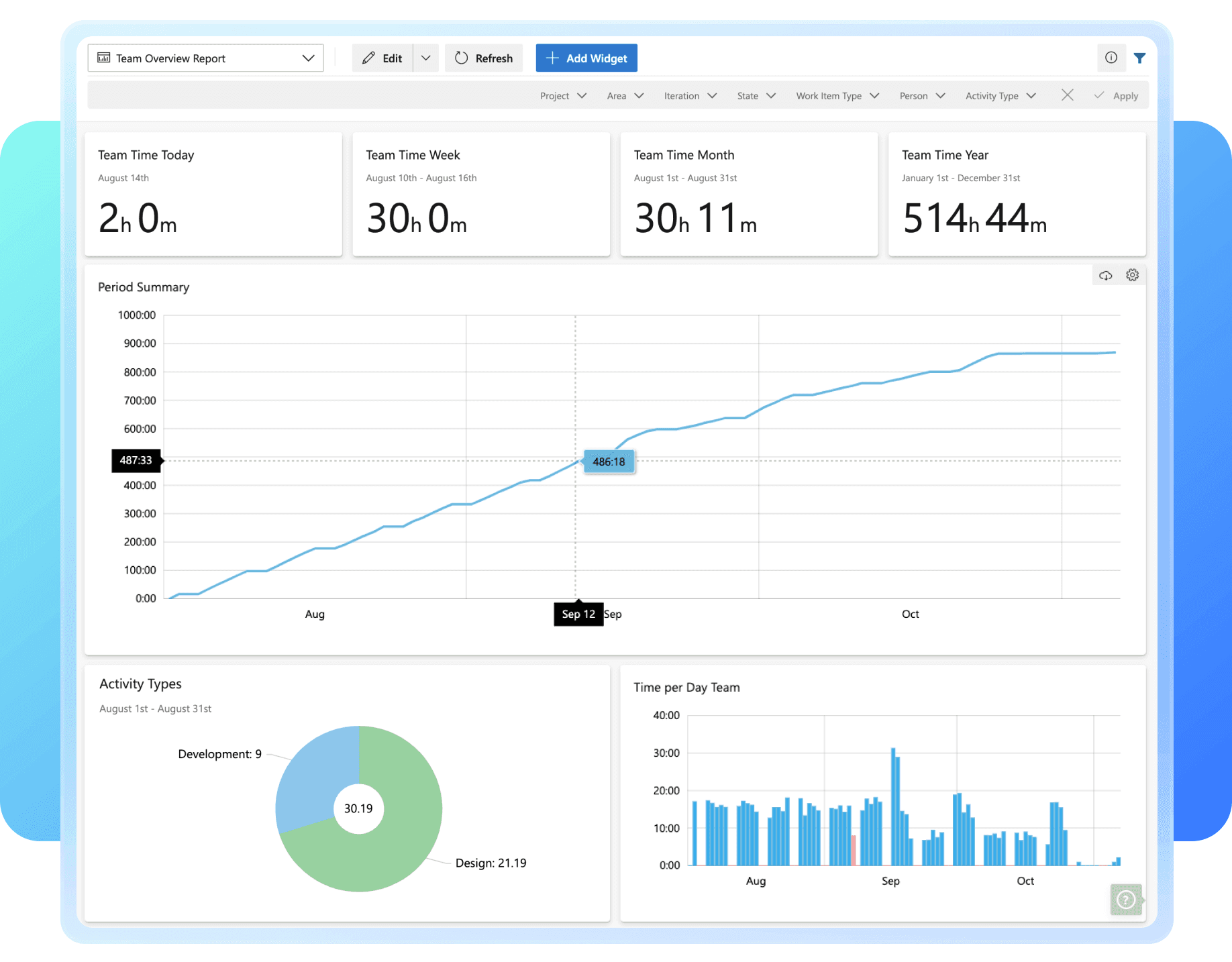
Out-of-the-box reporting widgets
Quickly add widgets that slice and dice your time data to show you exactly what you need to see. Visualize any data type and field at your disposal.
All your time tracking in one place
Get instant access to all individual stats in a monthly or timesheet view. See daily or hourly details and aggregated stats for each week or month.
Standardized time-tracking processes
Set up company-wide rules to govern how your teams track time. Increase alignment with your organization’s processes and get more accurate time data.
Enjoy a simplified approval process
Gather, manage, and approve your team’s timesheets in one place. View each team member’s timesheet in detail and approve them with one click.
Better budget management
Maintain control over your budget by easily and precisely defining which items flow into a given budget. Clearly distinguish between billable and non-billable hours in work items, iterations, budgets, and reports. Export your budgets to a spreadsheet with a single click.
Downloads
Pricing 02
Simple pricing for teams of any size
The app’s straightforward pricing works for anyone, from small teams to enterprise businesses. Choose between a monthly or annual subscription. But first, try the app for free with a 28-day trial.
Choose number of seats and pricing model
Start
$7
/ user / month (billed annually)
Up to 19 users
Free tier available
- Dedicated account (cloud)
- 1,000 worklogs per user
- 100 API calls per hour
- Community support
Team
$12
/ user / month (billed annually)
Up to 299 users
- Dedicated account or server
- Unlimited worklogs
- Unlimited API usage *
- Email support
Most selected
Ultimate
$16
/ user / month (billed annually)
+ $129 /user/mo. (101-250 users)
+ $76 /user/mo. (250+ users)
- All from Team
- Unlimited accounts (cloud)
- Unlimited servers (on-prem)
- Premium support (SLA)
Premium features
(*) The number of available API calls is physically limited by network infrastructure and subject to our fair usage policies. Check our API Guide to learn more.
Need help setting up your team? Get in touch.
FAQ's 03
Pricing questions and answers
A named user refers to one unique, existing person in your organization. The person can have multiple roles, work on multiple teams, use multiple system services, but ultimately they’re just one named user. A named user is typically identified by their email address.
You can add and remove users as your team changes. When a change happens, we’ll credit or charge your 7pace account. Invoices get created immediately and your payment method is charged. Credits are applied to your balance immediately and added to the next billing
Yes, there’s a free plan. 7pace Timetracker Free is limited to 3 users and 500 visible time records per account on a dedicated account with community support.
All subscriptions are payable by credit card (MasterCard, Visa, or American Express). Payment by wire transfer is available upon request.
The purchasing experience is within the installed software. After starting a trial or installing 7pace Timetracker on the Azure DevOps Visual Studio Marketplace, go to ‘Settings’ / ‘My Account’. You can manage your subscription there.
If your server cannot connect to the 7pace subscription service, you will receive the activation with a file. Our sales team will be at your service for all sales-related actions.
Purchase orders are accepted for all subscriptions on the “Ultimate” plan. For other plans, please contact sales. All transactions, invoices, and credit notes are generated and sent by email. They are also available for download in the Subscription Management tab in the app. If you need particular tax certificates or forms in your country, such as the W-8BEN-E form for the United States, please contact sales.
You can cancel your subscription at any time before it renews. You can manage your subscription in the application. Contact us if you have any questions.
Yes! Our team is ready to assist with any paid service for custom widget creation / report-building, API integration, migration services or additional training needs you may have. Want to learn more or set up a tailored training for your team? Click here for more information, or contact support@7pace.com for a quote.
Yes, the user limits are as follows:
- Free: 1-3 users
- Start: 1-19 users
- Team: 1-299 users
- Ultimate: 20+ users
“We had tried a few products, but nothing came close to the seamlessness of timetracker with DevOps. Every business should use it with their Azure DevOps ecosystem. It just makes sense.”
Stefen Zvonar
Parab3llum Enterprises, Inc.
"If you need to know where time and effort are really spent in projects, 7pace Timetracker is a fantastic tool to help you do so."
Jamie Cool
Microsoft Corporation
"Excellent product and service. Viewing data in the application is easy, but if you always need to combine it with other data for analysis, you can export the data to put it all together."
Steve Christian
Rogue Fitness
"We’ve been using 7pace Timetracker for years and have had nothing but positive experiences. The integration is seamless, and the tracking is intuitive and easy to use."
Matthew Likuski
RBRO Solutions
"We added 7pace Timetracker for capitalization, but the teams also find the visibility on where time is spent very valuable. They’re using this information for more predictable and accurate forecasting."
Kimberly Reynolds
Ashley Furniture
Time tracking that’s truly seamless
Flexible, straightforward time tracking, right in your Azure DevOps environment.